Categories
Politics Technology Thoughts and Comments

The End of Ambition

Today I watched the last Space Shuttle lift off, right up the coast from me. Once the Atlantis lands, 9,000 people will be laid off. One man has worked at NASA for over 30 years, and he has worked on every single one of the 135 shuttle launches since the first one in 1981.

But it’s not just lost jobs. It’s a loss of will. It’s a loss of national ambition. A loss of of our sense of purpose as a country.

It’s been decades since we’ve done anything to build our future. The last big national infrastructure project was the interstate highway system, started in the 1950s. The last big national technology program, manned space flight, ends next week when the Atlantis lands for the last time, and gets shipped off to a museum.

Taxes are the lowest they’ve been in 80 years. But at what cost to our country?

Our train tracks rust. Our highways crumble. Our bridges collapse. Our schools, once the best in the world, rank lower and lower every year against other countries. China builds high-speed railways that whisk its citizens from one city to another at 200 miles an hour. Brazil has managed to make itself completely energy independent, thanks to a massive national program to make biofuels. India has a space program that is rapidly progressing towards full satellite launches and manned missions.

Every other western democracy provides full health care for all its citizens. Many new immigrants to the United States keep a second citizenship, not from loyalty to the country of their birth, but as a hedge in case they get really sick – they can always go home for medical care. Business fail, or never start in the first place, because they can’t provide health care coverage for their employees.

To me, the end of manned space flight is a symbol of everything that is wrong with our country. We have become tight and petty. We care more about keeping the most money in our pockets we can, rather than building a future.

We used to reach for the stars. Now we reach for our wallets and hold on to them tightly, refusing to contribute anything for fear that someone, somewhere, might cheat us. We’ve become a nation of dogs in the manger.

It is said, over and over, that those who do not learn from history are doomed to repeat it. Just look at the history books – the last time we had ridiculously low taxes, no national infrastructure programs, and a culture that didn’t believe in bringing people up from under? The 1920’s. Ending in 1929. The Great Depression. And it took 15 years and a world war to pull our heads back into the sky and start building up again.

But we don’t learn from history, because we’re doing it again. We keep cutting taxes and cutting programs. The rich have more money than they’ve had since the 1920s, while contributing less and less to the country that made their wealth possible in the first place. We cut or eliminate every program that has a chance of building a new future.

We should be building and spending our way towards a new future, not cutting back and screaming “Mine! Mine!”. We should have a million new workers out right now, building new and better highways. Better and faster railways. Newer and more efficient airports. We should rebuild our entire electrical system, to make it more efficient and modern. We should be running fiber optic internet cable to every single resident of the entire country.

And yes, we should have a cutting edge space program, both to give our children something to look up to and admire, as well as to create all the new technologies and companies that will fuel the future. Without Apollo and the manned space program, we would not have the modern computer industry, many new health breakthroughs like MRIs and laser surgery, and literally hundreds of other things. It has been estimated that every dollar we spent on the space program earned back a hundred times that amount in new jobs, technologies, and businesses.

China has a lock on rare earth minerals, vital for computer parts and medical machinery. Why don’t we fund a national space program to mine those minerals from asteroids? We are beholden to countries we hate, because we have to grovel for their oil. Why don’t we start a massive solar satellite power system to build and beam down energy from space? Refining certain pharmaceuticals in centrifuges is phenomenally expensive and time consuming, while the same drugs could be made in zero gravity for pennies. Why don’t we fund a massive medical and pharmaceutical facility in earth orbit for manufacturing such things?

We spent a trillion dollars invading and “rebuilding” a country that never attacked us, and in which we have no national interest. We spent another trillion dollars invading another country and occupying it for 10 years when what we really wanted was to capture a single criminal. Yet our politicians haggle and whine over amounts that don’t even amount to one ten-thousandth of those figures if it has something to do with issues here at home.

One of our political parties cries and whimpers that they won’t even consider raising a single tax on anyone or anything. “We refuse to pay for our country”, they say. “We want all the money for ourselves”. The other political party dithers and waffles, refusing to set goals or an agenda or object to anything. “We’ll just wait and see”, they say. “The future will be whatever it is”.

Remember when we used to have actual leaders? Remember when John F. Kennedy sparked a nation when he announced the goal of putting a man on the moon, and said, “We do this not because it is easy, but because it is hard”? Where is that spirit now?

Everyone who reads this, I beg of you: The next time a politician asks for your vote, don’t ask them how much of your money you get to keep. Ask them how they’re going to build the future. Demand that they look forward, not backward. Tell them to spend every cent they can to make our country the best and the brightest.

In other words… Demand that they reach for the stars.
Categories
Technology

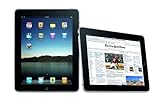
Apple iPad 64GB with Wi-Fi + 3G

Apple iPad 64GB with Wi-Fi + 3G

I actually got my iPad in the first week of May 2010, and I’ve been using it on and off ever since. So why write a review now? Well, two reasons. One, I haven’t touched this blog in months (it’s been a busy summer), and Two, the release of first the iPhone 4 and then the new MacBook Air helped to provide me a framework to hang a review onto.

I’ll be the first to admit that I fall easily and quickly into the Steve Jobs Reality Distortion Field. Pretty much whenever Apple releases a new product, I’m waiting outside the Apple Store the next day to get my hands on it. I update my computers just about every year, and I’ve updated my iPhone three out of the four times that Apple has announced new models.

So it’s not like I was exactly unbiased when the iPad was announced at the beginning of this year. I was immediately impressed. The iPad seemed to be everything that every previous “tablet” had not been; thin, light, responsive, and with a user interface that was expressly designed to touch. That interacts with your fingers. That responds to sweeping gestures and finger movements. That looked like something that almost literally seemed sent back in time from the bridge of the Starship Enterprise.

The iPad eventually shipped in April, but I waited until May when the 3G version arrived on the scene. Previously, I would not have cared about 3GWiFi is fine by me – but I started a new job in February, where we don’t have WiFi in the office. (Not only do we not have WiFi, but apparently, we will never have WiFi. It’s considered too much of a security risk). So, I wanted one that I could use at work to check my personal email, etc.

On May 3rd, my 64GB iPad with WiFi and 3G connectivity arrived, along with the Apple flip cover. I had it set up and working within a few minutes. And for the first few days, I was enthralled. But… after a few days… I stopped bringing it to work. And then I stopped checking email on it. And then I cancelled the 3G coverage. Then I stopped updating my music and photos and videos on it. And then I removed all the music, photos, and videos from it.

Now, the only thing I use it for is to read comic books and use a few recipe applications.

I think my six-month odyssey with the iPad says a lot about what’s wrong (as well as what’s right) with the iPad. The current version is the epitome of the early adopter syndrome. It’s got a lot of neat features, and it’s a great idea… but it’s just not fully baked or ready for prime time yet. And almost every problem with the iPad lies solely in its software and how Apple treats it.

The first thing that quickly annoyed me about the iPad is that you just can’t use it by itself. You’ve got to have a computer to physically connect it to. Now, this has never bothered me much with an old-style iPod, but with this? I don’t get it. The thing has screaming fast WiFi built right in. Why on earth do I need to physically connect it to a computer in order to get my stuff on it? Or to update its operating system? Or to activate the damn thing?

My very first disappointment was thus right out of the box: I turned it on, and it says “Connect to iTunes”. I thought, “You gotta be kidding me. This is an $800 computer in its own right. What the hell do you mean, ‘connect it to iTunes’?” During the first couple of weeks, I was thinking this would be a perfect computer for my Mom. Except… Apple really won’t allow you to use it as a “computer”. They insist that you use it as a giant iPod.

The second thing – which annoyed me more and more as time went on – was the locked down aspect of it. And I think this flows from the same decision, that of Apple forcing the iPad to operate as a peripheral and not as a standalone. They treat it the same way they treat the iPhone: Everything that goes onto the iPad has to be curated through the iTunes App Store. The most aggravating symptom of this is the lack of a Flash Player plug-in.

I don’t give a rat’s hairy ass what Steve Jobs thinks of Adobe and Flash; the fact of the matter is that web site after web site requires Flash. And one night, after hitting three web sites in a row that showed me empty pages with a “Please install the Flash plug-in”, I gave up on web surfing using the iPad and switched back to a laptop. What’s acceptable on a small device that’s also a telephone is simply not acceptable on a much larger device that is not a telephone.

Why is the iPad locked down like this? All the arguments that Apple uses to protect the iPhone don’t apply here. The iPad is not a telephone. It can’t make 911 calls. It’s got a giant battery. And it’s not a toy.

Third thing: I became increasingly disillusioned with the App Store. And occasionally downright angry. It took forever for any decent magazine apps to show up, and when they did (Wired!) they were extremely expensive and didn’t (and still don’t) support subscriptions. And with Wired, I first started to get really ticked at Apple’s condescending, parental approach.

“This applications contains material not suitable for people under the age of 17,” the iPad admonishes me every time I update the application. Or any other application that’s not made for a six-year old. Excuse me? I don’t recall setting any parental controls on this thing. Oh, that’s right, I didn’t. Thanks, Apple, for treating every single one of your users as if they are either a prude or a watchful parent. I don’t have kids, there are no kids in my house, and if any visit, they sure as hell aren’t touching my iPad. So shut up, OK?

The iPad would be absolutely great for some pornographic or adult applications. It would be great for adult-themed or raunchy games. But Apple won’t let you sully its clean little tablet with anything smutty. Hey, you bought it from them, so it’s up to them to make sure that it never gets used for anything unseemly. Right?

The fourth thing is that the screen? It’s really not that great. Seriously. And the fifth thing is that it’s pretty heavy.

I had expected that I would use the iPad as my new eBook reader. The first app I installed was the Kindle App from Amazon (the Apple reading application, iBooks and its related iBookstore, are complete non-starters. Don’t even bother with them). Within seconds, I was synced up with a book I was reading on my Kindle, right to the very same page. But… it didn’t look as good. Sure, the iPad is bright and colorful. Unfortunately, it’s also kinda fuzzy. The resolution, at a mere 1024 x 768, just isn’t high enough for reading text clearly. It’s also not high enough for watching even a 720P HD video. And it’s not even widescreen.

And it’s just plain too heavy. I tried reading a book on it, but after five minutes, I had to find something to prop it up with. A pound and half doesn’t sound like much, but compared to an 8 ounce Kindle? Yeah, it gets heavy fast. Keep in mind that the iPad weighs around the same as a hardcover book, rather than a lightweight magazine.

The screen’s lack of clarity and the general heftiness of the iPad combine to make it not a very good “reading in bed” machine at all. Yeah, it lights up on its own (in that the screen is backlit), but that doesn’t make up for it.

Then the iPhone 4 came out, and I saw how sharp and clear a color screen could actually look. At 326 dots per inch (higher than a classic laser printer), text on the new iPhone looks like it’s on printed paper. Printed paper that is colorful and backlit. Put the iPhone 4 next to the iPad, and the iPad screen no longer looks kinda fuzzy – it looks downright sad.

Then the Kindle 3 came out, with its high contrast screen, months-long battery life, and super light weight. And I saw how lightweight a reading device can be, and how nice it is on the eyes to read a crisp, non-backlit white eInk screen.

So, with the iPhone 4 and Kindle 3 in hand, the only thing I still use the iPad for is reading comic books. That’s it. The comic book applications on the iPad are great. I have the Marvel, DC, Image, and Comixology apps all installed, and I’ve read over a hundred issues of various comic books on it. Paying $1.99 for each issue is a much better bargain than the printed ones, and I get immediate gratification by buying them on the spot.

The only reason I haven’t sold the iPad is because of the comic book support. That’s it. But $800 for a comic book reader? If I had known that was the only thing I’d finally be using it for, I never would have bought the thing.

So my iPad sits off in a corner on its charger. Not doing much. I really think Apple made some terrible mistakes with this device, but the market doesn’t seem to agree with me: iPads fly off the shelves, and as of this writing, Apple has sold over 3 million of them.

Maybe, when they upgrade the operating system next month to support multitasking, I’ll give it another whirl. But I don’t have much enthusiasm for it. The iPad already seems like yesterdays’ technology.

Categories
Technology

Panasonic SRG06FG 3.3-Cup Automatic Rice Cooker

Panasonic SRG06FG 3.3-Cup Automatic Rice Cooker, $29.95

I have always pooh-poohed ricer makers. “Pooh!” I would say to the aisle of kitchen appliances at Costco, instead eyeing the slow cooker or vacuum food sealer. “Pooh Pooh!” I’d say at Brandsmart, looking over the list of features such as auxiliary vegetable steaming, timers, and rice warming mode. “Feh”, I might sometimes add disdainfully, if the spirit was really moving through me.

Who would need such a thing? Who would spend money on such a frivolous device, when they are countless electronic gewgaws, gadgets, and gizmos still in an unsold state? Why in the world would I spent my hard-earned gold on something that does not add another glowing rectangle for me to stare at?

I fancy myself a fair cook. I’m not a chef, but I’m a good cook. And I cook a lot of rice. At least three times a week, I’m making a pot of white, fluffy rice to go along with a stir fry. Or whipping up a batch of sticky rice to accompany a Cuban or Thai themed meal. Not disgusting Minute Rice, mind you, but plain old Rice Rice, just like God intended us to cook it.

Rice is easy. I follow the America’s Test Kitchen method: 1 cup of rice to 1 and a half cups of water. Add a dash of salt. Uncovered, bring it to a boil, and boil for 3 to 4 minutes, until the water subsides and you see little airholes in the rice, bubbling like clams on the beach as the waves roll out. Then clap a cover on, turn the heat down to the lowest setting, and let it steam for exactly 15 minutes. Viola! Delicious rice.

Alright. So, maybe one day out of three I’ll forget and boil it for too long. Maybe once every other week the rice boils over, coating my stove with a thin layer of rice glue that even Goo Gone has a hard time with. So what if once or twice a month I leave it on for twenty or thirty minutes by accident, burn half of the rice to the bottom, and have to start all over again? Minor inconveniences. Rice is cheap. As I said – I know how to cook it, dammit!

Such is my thinking. Such is my faith. Such I have always believed.

But then, one day, I was at work. My co-worker in the neighboring cube, Lata Kumar, was flipping through a coupon book for Best Buy. “A new rice cooker. Perfect!” she said with glee. Or gleefully. Or in a gleeful manor. At any rate, she was smiling when she said, of that much I’m sure.

I gave her my meticulously thought out, reasoned analysis of why such a purchase was a waste of her hard-earned cash. I believe I used the words “stupid”, “foolish”, and “pointless” as part of my carefully constructed argument. She nodded thoughtfully. “You’re an idiot”, she said, and clipped the coupon.

Somewhat steamed, I kept the rest of my opinions on her shopping to myself.

After her lunch break, Lata came back with a new rice cooker, for which she had paid about $25.00. I decided to try to repair my image with her. “So, how do you know that’s a good one?” I asked with a chipper air. She held up the box. “It’s Black and Decker”, she said, nodding. “So how can you go wrong with that?”

I had no response.

The idea of the rice cooker possessed me that afternoon. The following weekend, I was at Costco, and I looked over the two rice cookers they had there. There was a 10 cup and a 12 cup model. One for $90 and one for $30. I looked inside. 10 cups of rice is a lot of rice. There’s just me and Frank. Didn’t anyone make a smaller version for us no kid households?

Letting my fingers do the walking next, I was soon at Amazon.com, my faithful purveyor of all that is electronic and thus good. Sure enough, there were a number of small rice cookers in the 3 to 5 cup range. There was even a snazzy looking one from Zojirushi, who make the fantastic bread machine that I’ve used at least three or four times over the past decade, since it makes such wonderful bread. But man… expensive. And I’m still not completely sold on the rice cooker idea… yet.

What’s this? A simple little one from Panasonic, for just under $30? That sounds about right. No extra features. No warming mode. Just a single button that says “Cook”. Comes with a half-cup measure for the rice. Makes anywhere from a half cup to three cups of rice. The pan is removable, so you can put it right on the table and scoop rice from it.

Seems like a good choice. I’m an Amazon Prime member, so shipping is free. I’ll take a chance!

Today, the Panasonic Panasonic SRG06FG 3.3-Cup Automatic Rice Cooker arrived, with two day shipping exactly as promised. The cooker is a simple affair. It consists of a pot, a lid, and a housing with a conductor at the bottom. There is only one switch: It says “Cook”. It snaps up like a toaster lever. It pops back down when it’s done. And that is it.

Could such a simple, plain, no frills machine make rice that could compare with the delicious stove top rice I make so often? A pork stir fry will answer that question, my friends!

Using the enclosed plastic cup, I measured out one cup of dry rice, dumping it into the pot. I then filled the pot up to the 2 cup line with water. I placed the pot inside the cooker. I plugged it in. I put the lid on top. And I flipped the switch on the front to the Cook position.

And that was it. I forgot about it, and prepared my stir fry. Then I remembered the rice. I took off the lid. The rice smell steamed up out of the pot, revealing a clean expanse of white. Using a small hot pad, I removed the pan from the cooker and placed it on the table.

We dove into our meal. “Wow”, Frank said. “What did you do to the rice tonight? It tastes really good!” I scooped out my own scoops of rice, and dumped a healthy portion of pork cooked with red bell peppers and scallions and onions and ginger and garlic and hoison sauce and sesame oil and corn starch and red pepper flakes and chicken broth (or, if you prefer, “pork stir fry”).

Frank was right. The rice was perfect. Absolutely perfect. In fact, I would almost swear that somehow, the cooker turned that cup of rice into more rice that a cup of rice can be. Because, when I make the rice the old way, there was never any leftover rice. Now, miraculously, there was. It was like our own little micro version of the miracle of the loaves and fishes.

Cleanup was shockingly easy. Basically, there wasn’t any to speak of. The pan, although not technically a non-stick pan, didn’t stick. Or rather, the rice didn’t stick to it. Nothing was cooked on, nothing was burnt. The pan practically wiped clean with a sponge. Ready for another round of making rice.

So, that’s my experience. That’s my story of the Panasonic SRG06FG 3.3-Cup Automatic Rice Cooker, and I’m sticking to it. I can’t speak to how reliable this remarkable little wonder is, because I’ve had for one day and have used it once. I can’t tell you anything about the warranty terms or its electrical load or how recyclable it is. I can’t tell you those things, because I do not know those things.

What I do know is this: It makes great rice. It is small, easy to clean, and practical. And it is as easy to use as a toaster. It is, in fact, the simplest appliance in my kitchen.

I require nothing more. I am a happy camper, and my camp is filled with happiness and wistful memories of fluffy rice drenched in scrumptious sauce. More rice will be made tomorrow night. Rice may be made over the weekend. Rice might even be made in the morning to go with me to work.

The Panasonic SRG06FG 3.3-Cup Automatic Rice Cooker has freed my love of rice. Rice is no longer trapped in my pantry, to be released only when it can be contained within a pot on my stove. My rice has been emancipated.

Let me close with this: If you are a member of a small household, let’s say of between one and three people, and if you like rice… then you cannot go wrong with the Panasonic SRG06FG 3.3-Cup Automatic Rice Cooker.

I never heard a report from Lata about the Black and Decker, however, so I have nothing to say about that.

Categories
Books Technology

The Publishing War

Since I wrote my review of the Kindle DX in the previous post, quite a lot has happened in the little world of electronic books and publishing. Namely, one large publisher and one large retailer seem to have lost their collective minds and declared all-out war on each other. And in the process, they are dragging authors and readers down into the mud with them. There is quite a bit of anger on all sides, and so, as a (somewhat) neutral observers of the book world, I thought I’d chime in with my own summary and my own opinion.

Here’s how it went down. On Wednesday, January 27th, Apple announced their long-awaited new tablet computer: the iPad. The iPad is a 10-inch touch based computer, basically an iPod Touch scaled up to giant proportions. Part of the new feature set of this tablet, which should be available for purchase in two or three months from now, is an integrated book reading application and electronic book store, called iBook.

Unlike the Kindle, the nook, the Sony Reader and other true eReaders, the iPad is a standard LED-lit color LCD screen – the same type that your television and computer monitor use. For most of us who rely on an eReader, this technology doesn’t seem very well suited to reading… but we’ll just have to wait and see what the market decides. At $499, the iPad is a wonderful multimedia device – although an awfully expensive book reader.

Prior to announcing the iPad, Apple apparently negotiated some special deals with at least 5 of the “Big Six” publishers. Skipping over the accounting details, to the end user of an iPad, Apple’s deal means that new “hardcover” books will be $14.99 or $12.99 in electronic form from the iBook store. That sounds awfully expensive, considering that actual hardcovers cost just about exactly that same amount right now. And it sounds even more expensive compared to Amazon… which jumps through a lot of hoops, including selling a number of books at a loss, to keep prices at $9.99 per book and below.

A reporter from the Wall Street Journal, Walt Mossberg, asked Apple CEO Steve Jobs afterwards if this was going to be a problem. Jobs said no, because “the prices [for books] would be the same”. Initially, this was taken to mean that Apple would match Amazon’s $9.99 price. Within two days, however, it became clear that Jobs meant nothing of the sort. Instead, he had it on good authority that the publishers would in fact be forcing Amazon to raise their price to match Apple’s.

Let’s move forward to Friday, January 29th. Two days later. On that day (or perhaps the day before) the publisher Macmillan gave an ultimatum to Amazon: They had to immediately accept a new deal, under the exact same terms as their deal with Apple. And a key part of that deal meant that Macmillan, not Amazon, got to set the price of each and every book. You see, Macmillan felt that $9.99 was way too cheap for an electronic edition of a book, and wanted to make certain that Amazon could not sell at that price – not even if Amazon was willing to take a loss on the book. Amazon, being the largest retailer of books on the planet, did not take kindly to being told how to run their business, nor how they should set their prices. Macmillan said it was a “take it or leave it” deal.

So Amazon, as of that evening, pulled all Macmillan books from their web site. Both printed and electronic.

And the Internet went insane.

Authors published by Macmillan immediately put up articles and blog posts raking Amazon over the coals. Two prominent science fiction authors, John Scalzi (whose work I don’t care for) and Charles Stross (whose work I am a big fan of) were particularly vocal, claiming that Amazon is, more or less, pure evil, and certainly stupid. Almost every single author took the publisher’s side in this little war.

Readers, on the other hand, were furious at Macmillan and praised Amazon to the skies. They felt Macmillan was being extremely greedy, trying to force a retailer to bow to their will, and was engaging in a very obvious example of price collusion with their new partner Apple.

Anyone who’s ever read comments on any web site knows how quickly tempers can get out of hand. By Saturday, certain readers were vowing to permanently boycott certain authors. Some authors were vowing to never give Amazon any support ever. Some readers who vowing to never read any book published by Macmillan or any of its imprints. Very little in the way of reasonable arguments could be found in these comments, but you could find quite a lot in the way of four-letter words and over the top anger.

By Sunday, Amazon caved. They released a statement saying, in effect, that they were capitulating to Macmillan, and would have to raise the prices of any Macmillan imprint electronic book to whatever Macmillan wanted them to charge. And slowly, slowly, they began restoring Macmillan books to their online book store.

The war is not over, however, not by a long shot. During the next week, several other publishers immediately jumped and said they, too, wanted Amazon to agree to the same terms. The same terms they’d already agreed to with Apple, that is. The only exception was the largest of them all: Random House. Random House, in fact, stated that they wanted to let Amazon price however they wanted to, and planned to leave things the way they are. Notably, Random House is the one large publisher that did not sign on to supply e-books to the iPad. Also notably… the spokesperson for Random House used to work for Amazon.

As a fan of books, reading, and writing, I’ve read as much as I can stand to on this subject. The truth is… nobody comes out smelling rosy in this situation. Amazon definitely acted like a petulant child by cutting off all sales for Macmillan books; this act didn’t hurt Macmillan corporate a bit, while it hurt its authors and Amazon’s customers a great deal. And Macmillan was acting equally childish: they just got a new deal they liked, so they wanted to force their biggest retailer to accept the same terms.

The Supreme Court recently ruled that corporations have all the same rights in the constitution as actual people do. However, I think Amazon and Macmillan have demonstrated that corporations are, at best, children. And as such, they are not capable of making rational decisions and planning carefully for their future. They consider that sticking their tongues out at each, holding their breath until they turn blue, and taking all their toys and going home are all good business ideas. What a shame.

My personal view on all of this… well. I have always maintained that a purely electronic copy of anything is not worth as much as a physical copy. An album on a CD is worth more than an album downloaded from iTunes. A DVD of a movie is worth more than a copy of a movie purchased online. And a physical book is worth more than an electronic one.

Trying to price an e-book the same as a printed book is pure folly. It will never work, at least not in the long term. My gut tells me that an e-book should be about 25% less than whatever the current printed copy (either hardcover or paperback) price is. If you look on Amazon, most new hardcovers sell for between $15.00 and $12.00. So, frankly, $9.99 for an electronic version sounds exactly right. And, as a reader, that’s definitely my impulse buy limit. Any book that sounds halfway decent, as long as it’s under $10, I’ll probably give it a shot. Over $10? Well… I have to want to read it pretty bad.

I’m not saying I’ll never pay more than $9.99 for an e-book, but I will say that it will be rare. Right now, for instance, there are several books that I’d like to read on my Kindle (such as Kim Stanley Robinson’s new novel Galileo’s Dream), but they’re in Wish List Limbo at the moment, waiting for their price to drop below the $14 or $15 they’re at right now.

However, certain timely books, like political tell-alls, I can see ponying up $14.99 to read right away. Right now, instead of a higher price, many publishers are delaying the e-book version of these titles by several months, under the assumption that this will force people to run out and buy the hardcover. In fact, I’d like to read The Politician, Andrew Young’s account of John Edwards – but they publisher has delayed the e-book version until April. And that’s not the kind of book I’m willing to pay for a hardcover of. So, looks like I’ll be passing on it. You see? They just lost a sale by delaying the e-book. A sale they would have made if they’d just allowed the book to come out in electronic form, sold to Amazon for whatever they wanted to, and allowed Amazon to sell for whatever they want to.

in the long run, I don’t think this will work. As the years go buy, more and more people will read books in some electronic form versus a hardcopy form. I’ll predict that within 10 years, the split will be 50/50.And as more people read electronically, the price pressure will become even greater to lower the price as compared to the hardcopy version. When that happens, Macmillan and the other publishers who got suckered into Apple’s “agency pricing” model are going to wish they could go back to the old days.

Watch Random House laugh all the way to the bank in a few years.

Categories
Books Technology

Kindle DX: 7 Months with the Amazon Giant

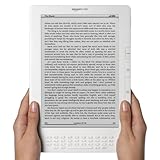
Kindle DX Wireless Reading Device. 9.7″ display, global wireless, $489.00.

Ever since I got my Kindle DX back in June 2009, I’ve been meaning to write up a review of it. But I never got around to it – mainly because every time I touch that little slab of glass and plastic, I immediately start reading something. An hour goes by, and I hear a voice nagging at the back of my head… didn’t I pick this thing up for some other reason? But whatever I’m reading is always more entertaining than listening to the voices in my head, so I ignore it and go back to my book.

In and of itself, that’s already a pretty good review, when you think about it.

Two days from now, Apple will be formally announcing their tablet or slate or giant iPod or whatever it’s going to be, and I wanted to be sure that I got my Kindle thoughts down clearly before I am forced to re-think the paradigm based on whatever it is that Apple comes up with. The media has been reporting all over that Apple has been in talks with publishers, and is going to make reading a big part of this new gizmo. These media reports claim, therefore, that this new iPad or iSlate or MacTablet will be a “Kindle killer”, and only a fool would thus buy a machine that “only” functions as an electronic reader.

Now, far be it from me to second guess Apple (says the man who is typing this post on a MacBook Air), but I don’t think so. The MSM (main stream media) doesn’t seem to think that there are “people who read” out there anymore. And while it is quite true that Constant Readers number far less than Movie Watchers or TV Freaks or Gamers, it’s still a large number. Speaking as one of those Constant Readers, a dedicated device for reading – and only for reading – is quite clearly the way to go. It’s entirely possible that I may buy whatever it is that Apple debuts on Wednesday… but I find it very unlikely that I’ll be reading a novel on it.

As I mentioned in my review last year of the Kindle 2, I ordered the Kindle DX the same day it was announced. I love the Kindle 2 (now just called the Kindle, since Amazon has long since stopped selling the old original model). Honestly, except for the screen being too small, I felt the Kindle 2 was just about as perfect a piece of hardware as I’ve ever used. But as I said, with a mere 6″ diagonal screen, I felt that the reading area was just too small. When reading a fast-paced novel, I found myself pressing the “Next Page” button so quickly that I was afraid it might break from such heavy use (it never did). The Kindle DX, marketed as an exact duplicate of the Kindle 2 except for a larger, 9.7″ diagonal screen, sounded like it would be the be-all end-all e-Reader.

I felt so strongly about that, in fact, that I sold my Kindle 2 the same week my Kindle DX arrived.

I wish I hadn’t done that.

Because as it turns out, the Kindle DX is not a sized-up duplicate of the Kindle 2. Amazon made three very obvious changes to the hardware, and I hate all three changes.

First off, and by far the worst… there are no buttons on the left side of the Kindle DX. None at all. On the Kindle, the “Next Page” button is on both the right and the left. The “Previous Page” button is also on the left side of the Kindle. Having the “Next Page” button on both sides means that you can hold the Kindle in either hand, or use either hand to turn the page. This helps to mimic the movement of using an actual printed book very closely. Sadly, and for absolutely no reason that I can see, the Kindle DX jettisons this nearly perfect design (so perfect, in fact, that it was copied almost exactly on the Barnes and Noble nook) and simply has an expanse of blank white plastic on its left side. I cannot fathom why Amazon did this, and I must repeat that this is the single most glaring design fault of the Kindle DX in comparison to its smaller cousin.

Second, the keyboard on the Kindle DX is different from that of the Kindle… again, for absolutely no reason that I can figure out. The Kindle has very nice, functional round keys that mimic a normal QWERTY keyboard. The Kindle DX instead uses rectangular keys that are much harder to use, since each key is wider than it is tall. This makes it almost impossible to “thumb type” on the Kindle DX keyboard, an operation that is quite easy on the Kindle. And still worse – and again for no reason – the top row of number keys is gone. To type a number, you have to hold down “Alt” and then press one of the top rows – ALT+Q for 1, ALT+W for 2, and so on. Maddening. Especially when there is plenty of room for another row of keys, even in the horrible rectangular style.

Third, the Kindle DX adds an accelerometer for “auto rotation” of the screen to landscape mode. For the first month, I hated this feature so much that I almost returned the device. Every time I would lean to one side, the book I was reading would rotate itself in the other direction. This would result in a comedic chase, as I kept trying to rotate the Kindle DX in the opposite direction to compensate. When I called Amazon to complain, the support person pointed out that I could turn off this feature using the “Font Size” key (how obvious!). Unfortunately, every time I turn off the Kindle or when it gets a software update, it resets itself back to “auto rotate”.

Since the Kindle DX came out, Amazon has updated the regular Kindle to include the rotation feature as well. But in the regular Kindle, it’s a maual option that must be selected by the user. It doesn’t try to “automatically” rotate itself based on whatever angle the device itself is at. This is a perfect illustration of a feature that is very handy in a mobile device (the iPhone has an excellent auto rotation feature, for example), but is useless and in fact very annoying when put into a dedicated reading device. Why in the world would I ever want the text I am currently reading to rotate itself in another direction just based on which way I happen to be leaning at the time?

Now, the larger screen? Oh, it’s quite nice. Especially when reading a book with illustrations or technical diagrams (I am re-reading Neil Shubin’s Your Inner Fish currently, and the diagrams are almost as clear as the printed version). I still wish the screen had better contrast – whiter whites, blacker blacks – but eInk displays don’t seem to be able to do that yet. The larger screen means that I can finally have a page in an eBook that has the same amount of text as a printed page.

But as the months have gone by, I’ve become increasingly disappointed in the Kindle DX. Because, as it turns out, the extra-large screen is really its only feature. Gone are the easy buttons from the Kindle. Gone is the nice keyboard. Silly auto-rotation added. And… well… the Kindle DX is heavy. Holding it with one hand gets tiring quickly, and when reading in bed, I always have to prop it on a pillow. (Keep in mind that when I say “heavy”, I mean as compared to the Kindle. The Kindle DX is still much lighter than most hardcover books). The Kindle weighs just a hair over 10 ounces. The Kindle DX weighs 1 pound, 3 ounces. Thus the Kindle DX feels about twice as heavy as the Kindle. A shame.

At $489, the Kindle DX costs almost twice as much as the $259 Kindle. When I originally ordered it, I felt that price was fair because of the much larger screen size. I still feel it’s a fair price – but I did not expect to have so much of what I liked about the Kindle taken away from me at the same time.

And… that nice big screen? Well, after 7 months… I’ve decided that it’s actually too big. I still feel that the Kindle’s 6″ diagonal screen is too small. But the Kindle DX’s 9.7″ screen goes too far in the other direction. Right in the middle, an 8″ diagonal screen, that would be truly perfect. But it seems like the world has settled on the 6″ and 9.7″ / 10″ size as standards, so I’m stuck. Having to choose between them… well… I guess I’d go with the smaller screen.

In summary, I prefer the Kindle to the Kindle DX. I wish I hadn’t sold my Kindle. If I had not, I would have probably returned the Kindle DX before the 30 day return window had expired. So, you may logically ask: Why don’t I sell the Kindle DX and buy a regular Kindle again? Well, see, the Kindle 2 came out almost exactly a year ago. So, I figure, Amazon should be coming out with what would be the “Kindle 3” sometime this year. I’ll just wait for that.

The Kindle DX was developed by Amazon primarily as a text book reader for college students. For that use, it would probably be great. The heavier weight of the Kindle DX is still pounds and pounds lighter than the lightest college text book I ever had, that’s for sure. And as I said, for books with illustrations, that big honking screen is wonderful.

But for reading books? Stick with the regular Kindle, which really is a bargain at $259. No matter what magic thing Apple comes out with on January 27th, the Kindle is still the best game around for reading books.

Categories
Books Technology

Kindle 2: The Review

Kindle: Amazon’s 6″ Wireless Reading Device, $359.00

I’m living on a greatly tightened budget. I’ve cancelled satellite service, land phone service, pool cleaning, book and magazine subscriptions, and I’m buying all our food at Costco and Wal-Mart. So why, why did I just spend $359 a month ago for a new Amazon Kindle 2 – to replace the perfectly good, still working Kindle that I bought only a little under a year ago?

Because I love to read, I love books, and the Kindle 2 (now referred to as just the 6″ Kindle by Amazon) is the best book reader I’ve every encountered. That’s why.

LIke many others, I had some complaints about the original Kindle. Amazon listened to me and countless others, and they fixed (almost) everything that was wrong with the original Kindle. And, let me be clear, the original Kindle was a very good device (and still is, for that matter). The Kindle 2 literally fixes every single complaint I had with the original – with the exception of the screen size, which is the same as the first Kindle and is still too small.

Thin Is In – And Oh So Shapely!
The first thing I noticed when I removed the Kindle from its (very nice and very Apple-inspired) packaging was the thickness of this device. As in the lack of it. You may have seen some ads for the Kindle 2 that show it on edge next to pencil – and the pencil is noticeably thicker. Those pictures aren’t lying. The device is thinner than an iPhone 3G, thinner than any remote control I’ve got, thinner than any other electronic gadget of any kind that I currently own. It’s about the thickness of 30 sheets of paper.

And the thickness (er, thinness) of the device is constant. It doesn’t curve out anywhere or bulge up at any spot. The edges taper in somewhat, much like the edge of a MacBook Air do. All four corners are rounded identically, following the same gentle taper toward the edge. The overall effect feels very good in your hands. It just feels… right. The specs say it weighs 10 ounces. I haven’t verified that independently, but it feels about like holding a sheaf of paper.

The back of the Kindle 2 is smooth aluminum. There are tiny grills in the lower back for speakers, used for the audio book and music playback features (which I completely do not care about and never use). Even the holes in the speaker grills are carefully milled and feel good under your fingertips. And the smooth brushed metal doesn’t get slick as you hold it for a long about of time, as plastic usually does (think how a phone feels after you’ve been holding it for a long conversation).

Interface Reface
The Kindle 2 sports a revamped version of the Kindle interface to go along with the new physical design. The main outward aspect of this is getting rid of the “sparkle bar” and wheel that was the navigation system for the original Kindle. It’s been replaced with an easy-to-use four-way joystick type toggle. You just use the little joystick to point to the item you want, then push it in to select. Amazon refers to this as a “five-way control” because it’s up, down, right, left, and select. Anyone who has used a remote control for a Tivo, satellite, or cable box in the last 10 years will instantly know how to use the control. It also makes it possible to scroll right and left of text in order to bring up menu options.

Magazines and newspapers, two things that I absolutely love on the Kindle, are much, much easier to navigate with the Kindle 2. In fact, it’s so obvious now that I can’t believe Amazon didn’t do it like this to begin with. You get a straightforward table of contents, with sections from the magazine in question. Next to each section is the number of articles in each section. You can select the section’s name to go straight to the first article, or click on the number to see a detailed sub-table of contents for that section, with longer descriptions of each article.

Reading Newsweek and the New York Times on the Kindle is now much better than reading the print editions. Now I really wish every magazine was available on the Kindle! I’m still pushing hard for The Economist and Rolling Stone. Come on, publishers!

Nice little tweaks and additions are scattered throughout. For example, the little status bar at the bottom of every page now shows you what percentage of the way through a book you are. This helps a great deal to duplicate the feeling of “I’m half way through this book” that you get from a physical book.

Size Does Matter
Amazon fixed all but two thing I didn’t like about the original Kindle. I felt, and still feel, that the Kindle needs some sort of built-in reading light, or at least a custom-made “snap on” light that is low profile and fits neatly onto the device. And, I opined that what the Kindle really needed was a larger screen – I felt that it needed about a 9″ to 10″ diagonal screen, one that would let you read a book page at approximately the same size as the print edition. And magazine articles would also “feel” about the right length.

But when the Kindle 2 came out, I though, oh well. I’ll continue to just use a clip-on reading light, clamping it in ugly fashion to the top of the Kindle. And, it looks like they just couldn’t manage to get a larger screen, so I’ll just buy this one and —

Crap. The Kindle DX is Announced.
Well, damn. Only six weeks after I got my Kindle 2, Amazon announces the Kindle that I really want: The Kindle DX. Yup. A larger sceen, almost 10″ diagonally. The screen it should’ve been from the start. With auto rotation. And native reading of PDF files. Literally everything except a light.

I’ve watched all the videos for the Kindle DX I can find. I’ve seen the pictures. I’m salivating for its arrival. I pre-ordered one the day they were announced, even though they won’t be shipping this reading wonder until “summer” (which could mean anywhere from late June to late September, really).

I’ve read the criticisms lobbed Amazon’s way over the price point – the Kindle DX will be a whopping $489, and the Kindle 2 will remain at its current $359. For me, a Constant Reader, this price is worth it. I find it interesting to read the snarky comments on Engadget and Gizmodo trashing the device, with person after person saying they’ll never buy one until it has a color screen or blah blah blah. (An aside: Of what use would a color ebook reader be? Every book I’ve read consists of exactly two colors: white paper and black ink. And no, I’m not counting graphic novels / comic books. Those will always need to be in glossy print).

The Kindle Market
I get the Kindle. I really do. And I think anyone who reads a lot – people who list their hobby as “reading”, people who regularly buy lots of books – they will want a Kindle. As for anyone else? I can’t see why they’d ever want a device that is a dedicated book reader at all.

I’m reminded of a friend of mine, who was listening in on a conversation me and some other guys were having about an iPod. He volunteered that he didn’t have an iPod, and couldn’t understand why he’d want one. We all looked at him funny, and I said “Well, what do you listen to music on now”? He said, “I don’t even listen to music. I don’t like music, and I don’t own any CDs or records or anything”. And my answer was: “Then there is absolutely no reason at all for you to own an iPod”.

So, if your’e one of the many tech geeks out there who looks at the Kindle and says “Why? I already have an iPhone, I can read web pages on that”, or “Blech! It’s not in color. I can’t read graphic novels on it”, or “It has to display video and play music and accept a mouse and…” then I have to say: You’re not in the target market. You don’t need a Kindle, nor should you want one. And please go away and stop bothering me, OK?

But for those of us who Read. Read every night. Read all the time. Read magazines that consist of nothing but printed words, magazines where the only picture is the one on the cover or the occasional graph on the inside. Read the New York Times Book Review. Read works in translation. Read the classics, new and old. Read read read read… We need a Kindle. You need a Kindle. You want a Kindle.

You want to be able to buy a new book at 2 in the morning, have it instantly delivered to you in about a minute, and start reading immediately. You want to be able to highlight sections and save them for reference later. You to be able to get on a plane and bring a hundred books with you, on a device that weighs less than a pound.

So, if the above description fits you, and you don’t already have a Kindle, then go to Amazon now and order one. If you can afford it and if you can wait until “summer”, then I’d suggest waiting for the Kindle DX. But on the other hand… well, this economy ain’t gonna stimulate itself, y’know.

Categories
Technology Thoughts and Comments

The Year Everything Connected

2008 is now history. Only one more year left in the “ohs”. All over the internet and across the airwaves, people are writing their summaries of the year just completed, presenting their Best and Worst lists, reviewing the top stories, and predicting what’s going to happen next.

I thought of doing one or more of those same things, but frankly, that’s been done to death. Instead, I thought about what, if anything, really changed in the way I live my day-to-day life in 2008. And I came up with… connections.

Since I first starting using the Internet in 1994, and even before that with CompuServe and AOL, pundits have been talking about how the future will be a wired one. But in 2008, the future became a wireless one. Many of the individual elements have been around for a while. I mean, people have been getting their business emails wirelessly with Blackberries for years now. And we’ve been using cell phones since the early nineties. But these were separate functions on separate devices, each doing their own thing. You could get your company email on a Blackberry – but not your personal email, not your Gmail or AOL or whatever.

In 2008, my cell phone became so ubiquitous that I got rid of my wired phone line entirely. I now have only a cell phone my phone number is literally and truly my phone number. On the signature for my work email system, for example, I don’t even reference my company phone number – I don’t want any calls to go to it. If I could, I’d have it automatically forward to my cell phone permanently (I should note here that my company’s phone system is perfectly capable of doing this, but because of some antiquated human resources policy, only “Executives” are allowed to access this option. I assume that this is because of some conviction that allowing us worker bee types the option of forwarding our phone calls would encourage absenteeism).

In 2008, my cell phone became much more than a phone. It’s a mini computer that I carry around, that is wirelessly connected to the internet all the time. All of my email, including both work and personal accounts, mirrors on that little device. Text messages from friends and work colleagues flicker through it all day long. Calendar alerts from my company’s Exchange system chime and popup wherever I am, letting me know where I’m supposed to be next. And unlike the old Blackberries, I can make new appointments, change existing ones, you name it. I can add contacts on the fly, swapping them between work and personal at my whim.

When I get into my car, the bluetooth setup built into my Mini Cooper automatically switches my phone’s audio to the car’s stereo system. When I leave the car, it returns to the phone. I have a tiny headset that wirelessly connects to the phone that I can use at any time as well. When I’m riding my scooter, my helmet likewise has a bluetooth headset built in – even there I’m connected.

My phone is an Apple iPhone 3G, so I also have a slew of specialized applications. Great implementations of Facebook and Twitter keep me connected to anyone that’s not already connected to me via any of the work or email systems. Safari, a perfectly optimized tiny web browser, let me access any part of the internet for information at any time (well, any part of the internet that doesn’t use Flash, at least). I’ve got applications for the New York Times, as well as newsfeeds from any other source I can think of. I quite literally carry the world around in my pocket.

My phone is also a music and video player, and a game console. I have 12 gigabytes worth of music on my phone, several TV shows and maybe a movie at any given time. Right now I have about a dozen games installed as well, ranging from simple puzzles to full-on simulators and role playing games. With a set of headphones in my pocket (which also have a microphone wired in), I can plug in and listen, watch, or play anywhere and everywhere I go. And if I’m within the coverage of a WiFi network, I can buy new music, tv shows, music, or games wherever and whenever I want to.

While I’m a big fan of my iPhone, there are many other models from other manufacturers that do almost all of the same functions. The generic term right now is “Smart Phone” – which sounds dumb to me. This new kind of phone is a true personal companion, what the PDA of the 90’s were trying to become. I may occasionally leave the house without shaving, or forget my wallet, but I never leave my phone. I would feel naked and alone without it. I won’t even walk the dog unless my phone is on my person.

In short, my personal phone companion means that no question I have, at any time of the day, needs to remain unanswered. My “phone” (we either need a new word, or will have to accept that the definition is going to radically change) is part of my life now. A few days ago in the car, Frank said “I don’t know how I every got around without an iPhone before”. On one hand, that’s just a funny comment – but on the other hand, it’s true. I rely on that little device so much for so much that I really don’t know what I’d do without it.

In 2008, even the way I read and buy books has changed. With my Amazon Kindle, I can buy books anywhere, anytime, and they are instantly delivered wirelessly to my book reader. I can also buy newspapers, magazines, and blogs directly on the reader as well. So, even sitting in a comfy chair in my library, reading a book, I’m still wirelessly connected to the outside world – the Kindle even has a text-based web browser built in.

2008 was also the Year of the Netbook, tiny, cheap laptop computers that are used primarily for emailing and surfing the web. Personally, these devices aren’t for me – I tried two of them (the Asus eee PC 701 and the Acer Aspire One), and I just didn’t find them usable. Their keyboards are too tiny to type on – and I already have a tiny keyboard on my phone.

Instead, our household has a MacBook Air. Yes, it’s expensive, but for the first time, I have a full-functioning laptop computer that is so light and solid that I can carry it around and use it anywhere in the house. And, of course, with our house-wide WiFi network, the MBA (our acronym, not Apple’s) connects to all of our house network resources, as well as the internet.

And the house itself? We’ve got three AppleTVs, all of which stream content from our centralized house media server. All of which can and do buy and/or rent content wirelessly. We no longer have to rent movies from a store, or receive them in the mail – they are delivered over the net on demand, whenever and wherever in the house we want to watch them. We also have three Tivo HD boxes, which not only record anything we want to watch, but can also stream down on-demand movies from Netflix. And each of those Tivos is again connected to our house network, so we can move content around, copy it to any computer, or burn it to a disk. Using the Tivo’s remote scheduling feature, I can tell it to record any show over the internet – from my iPhone, for example.

Let’s see, what else? Oh yes, my new Blu-Ray player also has an internet connection, and with it I can access live events related to any disk I watch – such as on-the-spot director commentaries. The player also updates its own firmware over the Internet, so it’s always up to date. My Nintendo Wii does the same thing for living room gaming, updating its own software and connecting me to any online or community games I might want to play. My Garmin Nuvi can be connected to my computer to update its maps and software. My cameras, both video and still, get their firmware updated over the internet, and can push their recordings directly to my web pages or internal house servers.

Am I typical? Of course not. I work in the computer networking field, and I’ve been directly involved with the computer software industry for 25 years now. I’m well off financially, and I have a long established interest in movies, music, and books, so I have spent a lot of time and effort in assembling all of these things. But I am also not unique. Not everyone has all these kinds of technological connections, but many, many people do, and many more will in the future.

Finally, I’ll close this post talking about a different kind of connection – social connections. Spurred on by work colleagues, I reluctantly signed up for a Facebook account this year. And much to my surprise, it not only keeps me in better contact with my current friends (well, those who use it, anyway) but has allowed me to re-establish contact with old friends I had lost touch with. And this new social connection is made possible by all the other types of connections I talk about above.

I make no predictions about 2009, or about any other year, for that matter. But I am amazed, astounded, and greatly pleased at all the new ways I can and did connect to the world during 2008, and I’m sure that those connections will become even more widespread and useful as time goes on.

In a few weeks, we’ll celebrate the inauguration of our first connected President. And since I’ve been on his mailing list for a while now, I expect I’ll get an email from him on that same day. Because, you know, you can’t help but stay connected. Not these days.

Happy New Year.

Categories
Technology

The Decline of eBay

If you know me, or if you’ve been reading this blog for any length of time, you know I am a Gadget Freak. I have the latest version of almost everything Apple makes, the latest Garmin Nuvi, the latest camera from Nikon, camcorder from Canon, and so on and so on. And while I make a decent salary, I certainly can’t afford to just pile up new electronics on top of old month after month.

How do I keep doing it? One word: eBay .

The same week I get my new Thingamabob, I put the old Thingamabob up for sale on eBay. I’m careful to keep all of the original packing materials, the original box, and even the original receipt. Most of the time every item I sell is less than a year old, sometimes only six months old, and I take good care of my things (thanks for teaching me that, Mom and Dad!) so I’m usually able to get a pretty good price.

I consider the difference between what I get on eBay for the old Thingamabob and the price I paid for the new Thingamabob to be my “early adopter fee”. And by turning around my gadgets like this, I can always have the newest thing without going broke. It’s worth noting that for electronic gadgets, you have to sell them quick if you want to have any hope of recovering some money. A 2 year old computer is worth less than half of a 1 year old computer, and a 3 year old computer is almost worthless.

For example, I just recently bought a new MacBook Pro. So, last week I sold my old MacBook Pro on eBay, hoping to get at least half of what I paid for my new one. Didn’t work out that way; although I asked $1699 for a fully-loaded “Late 2007” MacBook Pro with 4GB of RAM, I only got a little over $1100.

However… this was the first time I’ve used eBay since they made some dramatic changes a few months ago. And sadly, I discovered that the eBay I have been using and loving for more than 10 years now… is no longer a welcoming place for Sellers like myself.

To understand the changes, let me provide my own little summary of why eBay was so great. It was the perfect form of social network. Buyers gave feedback on the Sellers, and the Seller gave feedback on the Buyers. This ensured a proper two-way street: Since most Sellers on eBay were small-time merchants or individuals selling their own possessions, they needed to be very sure that the stranger they were selling to would actually pay them. Since Buyers were buying from individuals, they needed to feel that the person they were buying from was trustworthy.

Now, I am both a Buyer and a Seller on eBay. Therefore, I have feedback both as a Seller, and as a Buyer. As of this writing, I have a feedback score of 52, 100% positive. This means that of 52 people who left feedback for me as either the Buyer or Seller in a transaction, 100% of them gave me a positive review. In addition, each person leaves up to 80 words of written comment attached to feedback.

This system helped to ensure civility as well:

  • As a Buyer, I’m going to be sure to send in my payment promptly; communicate clearly with the Seller as necessary; and give good and proper feedback if the item I receive is as it was described by the Seller. My incentive to do this is knowing that if I don’t, the Seller could give me bad feedback, which could in turn influence how someone in the future might view one of my own auctions.
  • As a Seller, I’m going to take extra care to clean up my items for sale, photograph them clearly, package them well, and ship them off immediately after payment has cleared. My incentive to do this is knowing that if I don’t, the Buyer could give me bad feedback, which could in turn influence how my future auctions may be viewed. Or, the bad feedback might prevent me from being accepted as a Buyer in some future auction.

So there we have it. A simple online marketplace where Buyers and Sellers come together, and each can have equal influence upon the other. A marketplace where the field is level for all. It’s worked for well over a decade, and has made eBay into one of the giants of the internet.

Then they screwed it all up.

A few months ago, they go rid of Seller feedback. Now, the feedback is only one way. A Buyer can give feedback on a Seller, just like always… but a Seller cannot give any (negative) feedback on a Buyer. As a Seller, I can praise – but I cannot criticize. If I encounter a deadbeat who stiffs me on payment, there is no way to warn anyone else. If a Buyer gives me negative feedback for no reason, I have no recourse. The field is no longer level.

eBay claims this is to help “the customer”. But eBay, like many businesses these days, seems to have forgotten who their customer actually is.

eBay’s customer is the Seller. No Buyer pays eBay so much as a single penny. Only Sellers pay. And they pay plenty. As an example, let’s look at my latest MacBook Pro auction. The final sale price was $1151. My total fees from eBay (including PayPal processing) were $77.46. That’s 7% of the total, leaving me with only $1073.54.

Without Sellers, eBay would not exist. The Sellers pay eBay’s bills; the Buyers, in turn, are customers of the Seller.

I have some understanding of how businesses can mistake who their customer actually is. For example, I worked for a software company whose product was sold exclusively by resellers. It was pointed out to me, over and over again, that our customer, therefore – was the reseller. Not the end user of the software. The end user of the software was a customer of the reseller. Therefore, all our direction for product design, features, etc. should be taken from the reseller – and not from the end user of the software itself. It took me a while to fully embrace this principle, but my boss made it clear: “The person who pays your bills is your customer. Always remember that.”

eBay has forgotten who pays their bills. No Seller ever asked to have the feedback mechanism taken away. They decided to do this on their own.

And sure enough, my auctions, for the first time, did not go smoothly. I received no communication of any kind from the Buyers. I had to wait over a week for a response, and then days further for payment. And when the items were delivered to the customers, I got no feedback at all. And I understand it, sort of. There is no longer any incentive for a Buyer to do anything.

And then, if this were not bad enough, PayPal (eBay’s payment processing division), now places a 21-day hold on all funds. Now what kind of retail business ships to their customers and waits 21 days to collect the money? Do you think Amazon would ship me books and DVDs and then not charge my credit card for 21 days? I don’t think so.

In typical Orwellian Corporate-Speak, PayPal claims this 21-day hold is a “security measure” to protect “both Buyers and Sellers”, instead of the obvious short-term interest rate scam that it really is. They list nearly a dozen “possible” reasons they “may” issue this hold. Tellingly, they do not inform the Seller of this until after the auction has completed. Therefore, as a potential Seller, there is no way for me to know ahead of time that this auction will be subject to a 21 day fund hold, thus allowing me to decide whether or not I want to list the item for auction.

So, I have to pay to ship the items out of my pocket, and then hope that the Buyer does not cancel the transaction, give me bad feedback, or otherwise screw me over completely. And if they do, I can’t do anything about it. I have to wait 21 days to find out if I really, truly even received payment.

At the very least, I’d expect to be paid 21 days of interest on the money they are holding. But of course not… that interest is money that eBay is collecting, in addition to all of the other fees they’ve already charged me.

It’s a shame to see such a good concept, such a good business, destroyed right before my eyes. And a quick perusal of eBay reveals, in fact, that very few actual auctions are going on any more. Most of the items for sale are offered by large businesses themselves, who can afford to have funds withheld or to have an occasional non-payment.

And there appears to be no true competitor available. Yahoo runs auctions – but they are just a front for the exact same PayPal-based system. For a while, Amazon ran auctions, but dropped them in favor of a much more simple merchant agreement. And, Amazon does not allow individuals to sell any kind of electronic items – only licensed, approved merchants who pay a stiff monthly fee can do that. So if you have one computer to sell… you can’t do it on Amazon.

So, from now on, looks like I’ll have to fall back and use Craig’s List. I’ve never really liked Craig’s List because I prefer not to have to deal with people over the phone and/or in person. I liked eBay’s completely online model much better. But I no longer have a choice.

Is this the end of my Gadget Freak days? If I can’t reliably and regularly sell my previous-version gadgets, I can’t keep on buying new ones.

Maybe eBay will return to sanity. But it’s been my experience that once a company forgets who their customers are – once they no longer cater to the people who are paying their bills – that’s a sure sign of the beginning of a long, slow slide into oblivion.

Categories
Technology

MacBook Pro

Apple MacBook Pro. 15″ Display, 2.53 Ghz Core 2 Duo Processor, 4GB RAM, 320 GB Hard Drive.

Since Apple moved to using Intel chips 3 or so years ago, our household computers have moved to Apple Macs completely. Neither Frank nor I own a single running Windows-based PC anymore (not counting functional but unused machines currently taking up garage space, that is). Between the two of us, we currently own four Macintosh computers:

  • One MacPro tower. This is my “Big Mac”, my primary work machine, and it’s also our home media server. This is the first iteration of the Mac Pro, from the fall of 2006. This is the oldest active computer in the house. It’s loaded with 4 disk drives totalling 3 TB in a RAID configuration, and 8 GB of RAM.
  • One 24″ iMac, current aluminum and glass version. This is Frank’s main computer.
  • One MacBook Air. This is Frank’s laptop, although I use a lot – for example I’m writing this post on it.
  • One MacBook Pro. This is my laptop, which I use at work as well as at home. This machine is the subject of this post.

Frank and I are both mad technology mavens, so we replace our computers often. The list above is the current list; we have also purchased and then sold (eBay: the gadget freak’s best friend) two white MacBooks, a white 24″ iMac, and two Mac Minis. Thus the absolutely true argument I present at the Apple Store when they ask why I don’t want to buy Apple Care: Because I rarely keep a computer for even a full year. The staff person always laughs when I say this, and I assure them I’m completely serious. As long as I am employed and have a working credit card, I will continue to have the latest greatest computer(s) as soon as they are available. That’s just who I am.

So, obviously, I don’t base my decisions much on price. I have decided for myself that Apple Macs are the way to go. To me, these are the BMWs or Mercedes of the computer world. I have work colleagues who shake their heads at this; don’t I know, they say, that I could get the equivalent computer from Dell or HP for almost half that price? Heck, I could get two Dell laptops for the price of one Apple! How can I justify this ridiculous “Apple Tax“?

To explain, I’ll continue with the car analogy, since I’ve gone that route as well. Look, a Honda is a great car. There is absolutely nothing wrong with them. They’re a great bargain and extremely reliable. As far as what they do – put gas in, drive them around, go to work – they are “identical” to a BMW in the same engine class. So why, for example, would I drive a Mini Cooper when I could drive a Honda Civic for almost half the price? Or why drive a BMW 325i when a Honda Accord can be had for, once again, half the price?

If you’re basing your decision on features alone, working through a checklist – then you’ll get the Honda. And if you’re looking for a computer on hardware features alone, working through a similar checklist – then you’ll get a Dell or a Gateway or an HP. But… there are other things harder to put a price on, things like Quality, Style, Usability. These… qualities… are what you’re paying all that extra money for. And very simply, it’s either worth it to you, or it’s not. If those things are worth it to you, then the checklist is only the first part of the equation, and only half of the process. The second part is a judgement call… how much are you willing to pay, and how far are you willing to go, for Quality, Style, and Usability?

To me, Apple Macs are the ultimate in personal computers. They’re solid, stylish, high-quality devices that go beyond just the list of the hardware components that they are constructed with. They’re a pleasure to use. Every tiny little detail, down to the slowly pulsing glow of the “on” light, has been carefully and lovingly thought out. The hardware and the software are designed together, to act as a seamless integrated system.

All of the above is a long introduction for why, Wednesday night, I drove to the Boca Raton Apple Store and bought a brand-new MacBook Pro to replace… my existing MacBook Pro. Tuesday of this week, Apple announced their new, updated line of MacBook laptop computers. The showcase of the announcement was the new MacBook Pro, which features a high-power graphics card, a new carved aluminum body, a large glass trackpad, glossy display, and beautiful styling. You can read full reviews of the new machines here and here, and watch Apple’s complete presentation introducing them here.

So, here are my impressions. All in all, this is a wonderful improvement over the previous model – but with one gotcha that I hope gets fixed very soon. Here we go:

Keyboard. This new model has the same keyboard as the MacBook Air, which I already liked quite a bit. The backlighting on the keyboard is excellent; the letters on the keys glow white, and each black key is surrounding by glowing white light as well. This is not just a “use it the dark” feature; even in a slightly dim cubicle or office, it makes a huge difference. And, as a lifetime touch typist, this is the most typeable keyboard I’ve even experienced on a portable computer. I love this keyboard.

Display. The all-glass screen, which reaches to the edges, is more than a design subtlety. The black glass that surrounds the display actually helps to cut out ambient light, and makes the screen seem much sharper and clearer. This is a prime example of where a design decision actually improves the quality of the display itself. I’m sure that the underlying LCD monitor is the same as on other laptops, but by encasing the whole thing in a black-beveled glass lid, Apple has really hit the mark. This looks as good as the standalone iMac display, very attractive.

Graphics and Display Adapters. One big change is that Apple has ditched the DVI port on the previous model, replacing it with a “Mini Display Port”. This means, if you want to connect the laptop to an external monitor, you’ll need to buy an adapter. I bought both a VGA and a DVI adapter ($29.00 each!) so I can use the large monitors I have in both my home office and work office. Unfortunately, I discovered an annoying problem here.

One of the big features of this new model is that is has two graphics cards: An integrated, low-power graphics card for use when on battery, and a separate 512MB NVIDIA GeForce 9600M GT card when you need some serious horsepower. Since I do a lot of video editing and Flash authoring as part of my job, this is extremely important to me. So, I switched the MacBook Pro into “Advanced Graphic” right away and left it there.

Unfortunately, whenever I connected the Mini Display Port to VGA adapter, in order to connect to my 24″ external monitor… the computer freezes. As in, the mouse won’t move, progress bars stop in their tracks, etc. And nothing appears on the other monitor. But, if I log out and switch the computer back into the lower-power “Integrated Graphics” mode, then the adapter works. Now, since I have had such good experience before, I’m going to assume(!) that this is a temporary glitch that will be fixed soon – or perhaps I just have a broken adapter.

This is the only area that I feel a little let down by this new model.

Track Pad. This new track pad is about 35% larger than the old one – and the buttons are now hidden underneath the track pad itself. Despite what some in the trade press have said, this is not a “no button” mouse – the buttons are just under the pad, not visible as actual buttons. You still click down on the pad in the same place and in the same way as on any other trackpad. But since the “clicky” area is underneath, the surface area has a lot more room for your finger(s) to roam. I no longer have to pick up my finger and scroll again when I need to move a long distance, like I used to.

In addition, this track pad is multi-touch, like the iPhone screen. There are gestures for up to four fingers. I particularly like swiping four fingers to use the window-revealing Expose feature, as well as rotating photos and objects using the two-finger “pinch and squeeze” motion. Now, more applications need to support these gestures.

The surface of the track pad is incredibly smooth and low friction. Your finger glides over the surface. Supposedly, this track pad is actually made out of glass, which would explain the feel. However, it certainly looks like it’s made out of aluminum to the eye. The overall coolness of this track pad makes me wonder if rolling mice will be going the way of the dodo bird. I already wish I had an external, plug-in version to use on my big Mac Pro….

Ports and Optical Drive. The previous MacBook Pro has some ports on the left side, some ports on the right side, and the DVD/CD drive in the front. This meant that when I connected it up to a monitor, etc. I had some cords hanging off the left side (power, USB, and headphones) and some hanging off the right side (monitor, ethernet, and other USB). This new model moves all ports to the left side, and moves the optical drive to the right side. Now, all external cables can be neatly lined up on the left, and the right side can be left clear for use with a physical mouse. I love this, although a left-handed work colleague does not share my enthusiasm.

Shape, Design and Overall Aesthetics. Well, this is an Apple product, so of course it looks great. But frankly, so did the previous model. What’s different about this one is the smooth curved corners and the overall shape. Unlike any other laptop, whose cases are composed of multiple pieces of metal and plastic, this new MacBook Pro is literally carved out of a 1″ thick slab of aluminum in a single piece. Apple even has a video of the process here. The result is that the fit and finish of this machine is absolutely remarkable.

Each individual key in the keyboard protrudes from a hole carved through the laptop case itself. And the whole keyboard area is recessed slightly within a gentle curve. The laptop case closes with a magnetic catch – there is no physical latch. To aid in opening it, a cutout is carved into the front edge. Due to the curved edges, this laptop feels great to carry around. And the solidity of the case is such than you can hold it open, by one edge, and the machine doesn’t flex or bend at all. Yet it is the same weight as the previous model. Absolutely amazing.

Conclusion. It’s gorgeous, fast, and efficient. It’s got the best keyboard on any laptop I’ve ever used. The track pad feels almost like alien technology. The fit and finish of the case is unparalleled in consumer electronics of any kind.

I’m in nerd nirvana, and I won’t ask for anything more from Apple- until this time next year, when this model will be old hat and I’ll be anxiously listing it on eBay to make room for its replacement, of course.

Categories
Technology

Goodbye Land Line

This week, we severed our final physical tie to the phone company. In favor of an all wireless tie to the same phone company. So, for the first time in my life, I don’t have a dial tone. It’s all just 0’s and 1’s across the ether now.

I remember so clearly when I got my own personal phone number. It was September of 1980, and I had just moved into my dormitory for freshman year (Northwestern University, Foster House, just down the block from the Technological Institute). Through some lucky twist of fate, I had won the lottery for a single room – an incredibly rare and valuable thing, especially for a Freshman. A glorious 8 x 12 foot room was mine, all mine. My own door, my own window, my own radiator… and my own phone jack.

After I got my keys and threw down my luggage, the first thing I did was go stand in line for my phone. A few months before I had opened my own bank account, but that was nothing compared to this. A phone! AT&T offered me an extravagant choice of models to choose from… a princess phone (!), a hang on the wall type, and the nice plain kind with a handset. And they were all push-button phones! Every phone in my house growing up had been a rotary dial phone; the only time I had used a push-button phone was in a phone booth.

I selected a moss-green unit, put down my deposit (in those days you didn’t buy a phone, you just borrowed it from the phone company), and half an hour later I plugged it in. I think my first phone call was to one of my aunts or uncles to let them know my new phone number… my parents and siblings were living in Korea at the time, and an international phone call was out of the question.

As the years went by, I went through many phones and many phone numbers. I continued to lease my phones from AT&T for several years after the court-ordered breakup, long after the time when you could buy a cheap telephone in any drug store. I just liked the nice solid feel. I had phones on the wall, phones shaped like pop culture objects, phones that made bizarre ringing noises. I got my first answering machine in 1983 – the first message left on it was: “Hi, Jon, this is Lenore. When the hell did you get this? Call me back.”

I got my first cell phone in 1993, after a car accident left me stranded on a residential stretch of Sunset Boulevard (the part past Westwood where it goes into Pacific Palisades). It was a huge Blaupunkt, with a leather case to carry it in and a long coiled cord with a cigarette plug on the end. It weighed about 2 pounds, as I recall. Cell service then was very spotty, and the battery would only last for about 30 minutes of talking before you had to plug it back in to charge it.

Since then, I’ve had flip phones, smart phones, candy bar phones, Motorolas, Nokias, Samsungs, and the first iPhone. I’ve had headsets both wired and bluetoothed. But what finally made me decide to yank the wire and go completely cellular was the iPhone 3G that I bought a month ago.

No, not because the phone is So Great That I Can’t Imagine Anything Else. Far from it. But the cost of cell phone service with high-speed data has now gotten so high that I can no longer justify duplicating my phone service over both a land line wire and over the air. With data, my cell phone plan is costing me almost $90.00 a month. My land-line phone with Super Duper Long Distance was costing me another $67 every month, and was used less and less.

The only thing standing in my way was the number itself. Our home phone number is (was) one of those great numbers that has a lot of the same numbers repeating, and is very easy to remember. We didn’t want to lose it. Our solution was to simply transfer the great home number to Frank’s cell phone. So, as of last Monday, our old home phone number is now Frank’s cell phone number. And my cell phone number is my only number.

My younger friends, colleagues and relatives have expressed surprise that I still even had a land line. Many folks under thirty that I’ve talked to have never had a wired phone, only cellular. And now, with the iPhone and other smart phones like it, phones have become the repository for email and web surfing as well. Within five years, I’m sure the cell phone and computer will merge together completely. Hardware designers, I have some ideas. Give me a call on my cell phone.

Isn’t it great living in the 21st century? At long last, I finally feel like I’m living in the future. Now when do I get my ticket to the wheel in space and my new spandex jacket?